Developer reference · Browser API · Automation SDK
Control Social Browser from code
Use the integration level that fits your job: connect an external tool through the local browser debugging/API surface, automate the exact current tab from a trusted User Script, or run real Puppeteer code against the same persistent Social Browser Profile.
Use this inside a trusted Social Browser User Script when the automation belongs to the exact page/profile already open in the browser.
Best for:page actions, forms, waits, extraction, mouse and keyboard control.Use the page SDK →03
Real Puppeteer bridge
Use runPuppeteer() when a trusted User Script needs real Puppeteer methods in the Main Process against the same current workspace/tab.
Best for:screenshots, advanced DOM work and Puppeteer APIs not exposed by a helper.Run Puppeteer →
Architecture
How the developer flow works
A Social Browser Profile is a persistent browser environment. Your manual browsing and your automation can operate on the same Profile, so cookies, local storage, login state, proxy choice and supported browser settings can remain available between runs.
Your codeNode.js / tool / User Script
→
API / SDKCDP · Puppeteer · page helpers
→
TargetProfile → tab / window
→
Websitesame persistent browser state
Target identity rule: runtime identifiers such as CDP targetId or internal webContentsId are runtime-scoped. Resolve the target again after a browser restart or reconnect instead of storing those IDs permanently.
External tools
Set up an API / CDP client
1
Open API Clients
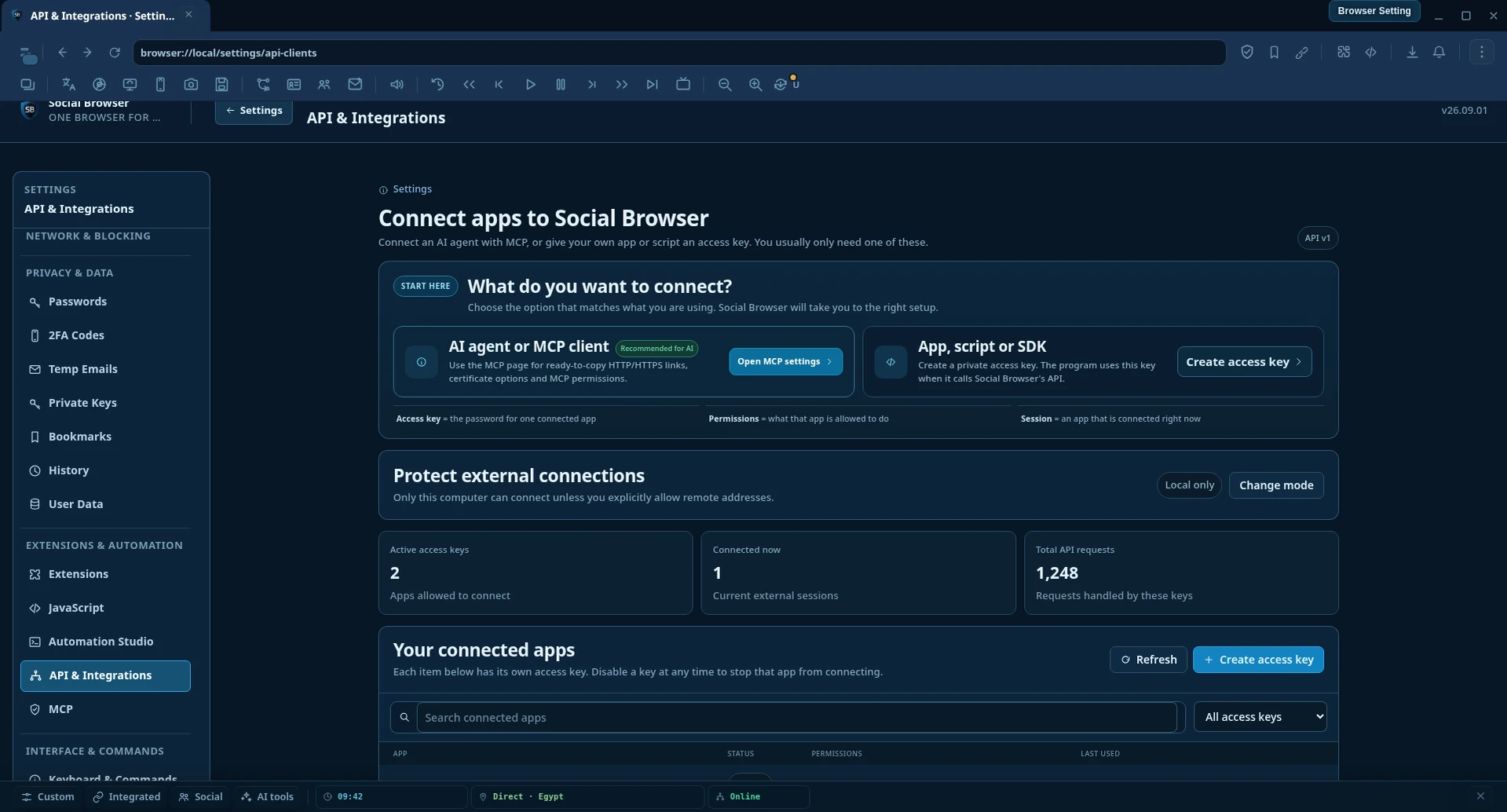
Inside Social Browser open browser://local/settings/api-clients. This is the source of truth for the endpoint and security options supported by the installed build.
2
Enable only the client access you need
Keep developer access local unless you deliberately configure a trusted network path. Treat any API key/token as a secret.
3
Copy the local endpoint from the browser
The examples below use the standard local debugging address http://127.0.0.1:60101. If the API Clients screen shows another endpoint, use the value shown by your browser.
4
Discover the live browser and targets
Query the Chromium discovery endpoints or connect with Puppeteer. Resolve live targets each time you connect.
/json/version describes the running browser/debugging endpoint. /json/list returns currently discoverable targets. A target is runtime state, not a durable Profile identifier.
Do not persist target IDs. If Social Browser restarts, a tab is recreated, or a runtime reconnect occurs, resolve the target again by current Profile/tab context, URL, title or another durable resource identity available to your integration.
Node.js
Connect with Puppeteer
Social Browser uses the running Chromium debugging surface, so an external Node.js process can attach with puppeteer-core. Set defaultViewport: null so Puppeteer does not impose its normal 800×600 viewport on an existing Social Browser workspace.
const puppeteer = require("puppeteer-core"); const browser = await puppeteer.connect({ browserURL: "http://127.0.0.1:60101", defaultViewport: null, }); const pages = await browser.pages(); for (const page of pages) { console.log(await page.title(), page.url()); } // Disconnect your client without closing Social Browser. await browser.disconnect();
Find the page you actually want
const pages = await browser.pages(); const page = pages.find(p => p.url().startsWith("https://example.com/") ); if (!page) { throw new Error("Target page is not currently open"); } console.log({ title: await page.title(), url: page.url(), });
For multi-Profile workflows, do not assume the first page returned belongs to the intended Profile. Resolve and verify the target before changing it.
Trusted Social Browser User Scripts receive the global SOCIALBROWSER object. SOCIALBROWSER.page gives you JavaScript-only, Puppeteer-inspired helpers for the exact tab where the script is running. You do not need a separate Node.js process for this path.
SOCIALBROWSER.page.runPuppeteer() is intended for trusted User Scripts. The callback runs with real Puppeteer in the Main Process and Social Browser resolves the current renderer to the matching Puppeteer target.
The bridge connects Puppeteer with defaultViewport: null and resolves the exact target using the current Chromium debugger target information. The embedded debugger attaches through CDP protocol version 1.3 when needed.
Compatibility: this is real Puppeteer, but not every Puppeteer feature is guaranteed in every embedded Chromium/Electron build. Features that depend on unsupported CDP domains can be unavailable.
Reliability
Lifecycle and target-selection rules
Resolve targets late
Find the intended target immediately before use instead of caching a runtime target for a long time.
Re-resolve after restart
A restart/reconnect can create new runtime IDs even when the persistent Profile is the same.
Verify before acting
Check URL/title/Profile context before sending an action in a multi-Profile session.
Expect navigation changes
Navigation can rebuild a renderer/CDP frame. Your code should wait for the new page state instead of assuming the old frame remains valid.
async function findTargetPage(browser, expectedUrlPrefix) { const pages = await browser.pages(); const page = pages.find(p => p.url().startsWith(expectedUrlPrefix)); if (!page) throw new Error("Target is not available"); return page; } let page = await findTargetPage(browser, "https://example.com/"); await page.goto("https://example.com/dashboard"); // Resolve/validate again when your workflow crosses a restart or reconnect boundary. page = await findTargetPage(browser, "https://example.com/");
Errors
Handle failures explicitly
The JavaScript page helpers are designed to fail safely for unavailable targets/actions and commonly resolve to null. Guard important results. The real Puppeteer bridge can also return structured automation errors such as invalid requests, unavailable bridge state, or a missing matching page.
const saveButton = await SOCIALBROWSER.page.click("#save"); if (!saveButton) { console.warn("Save button was not available"); return null; }
Condition
Recommended response
Endpoint does not answer
Confirm Social Browser is running and API/debugging access is enabled in API Clients.
No matching target
Refresh the live target list; do not reuse an old runtime ID.
Selector returns no element
Wait for the expected page state, use a stronger selector, and guard a null result.
Navigation replaces the renderer
Wait for navigation/page readiness and resolve the page again when necessary.
Puppeteer method unsupported
Use a supported helper/Electron path or another CDP method available in the installed build.
Security
Developer access is powerful — scope it carefully
Keep the debugging/API endpoint bound to 127.0.0.1 unless you intentionally secure another network path.
Do not publish API keys, client secrets or remote debugging endpoints in source control.
Treat trusted User Scripts as privileged code; review them before enabling them.
Use Profile-level separation so automation for one account/workspace does not accidentally act in another.
Do not expose internal runtime IDs as durable database identifiers.
Use these capabilities only on systems, pages and accounts you are authorized to operate.
Confirm Social Browser is running, open browser://local/settings/api-clients, and verify that developer/API access is enabled. Then use the exact endpoint shown by the installed build.
Puppeteer connects but I see the wrong page
A browser can expose several live targets. Enumerate pages and verify URL/title/Profile context. Never assume pages()[0] is your intended Profile.
My stored targetId stopped working
That is expected after lifecycle boundaries such as restart/reconnect. Runtime target IDs are not durable. Discover the target again.
A helper returns null
The target may not exist yet, may not be visible/enabled, or the action may not be available. Wait for the expected state and guard the return value.
A Puppeteer API is unavailable
The embedded browser supports the Puppeteer/CDP paths implemented by the current build, but not every CDP domain is guaranteed. Prefer the documented Social Browser helper or supported Electron path when a direct Puppeteer call is unavailable.