
Feature Guide
Background Privacy Tools
Hide your real site browsing with Enhanced Tracking Protection
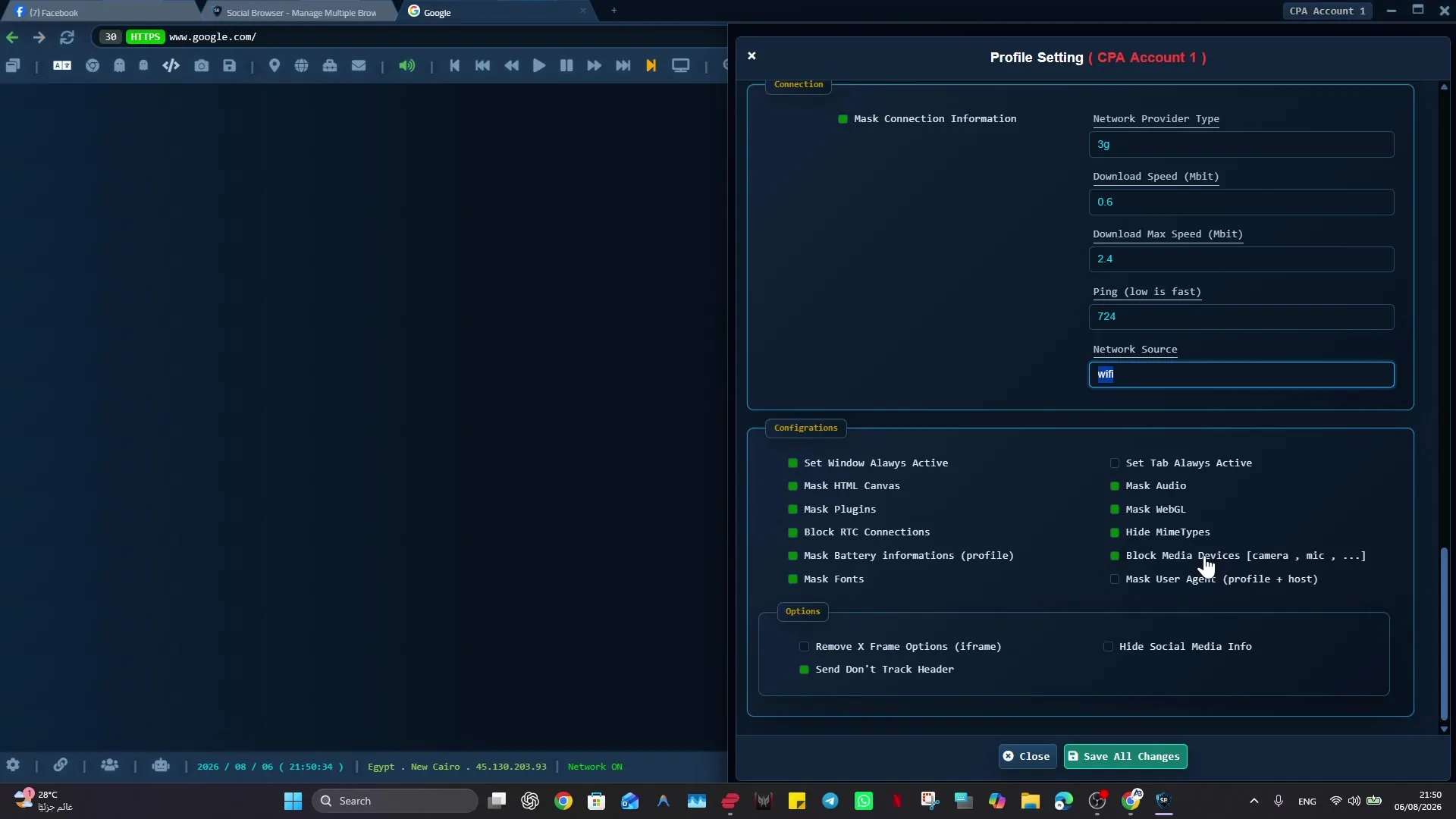
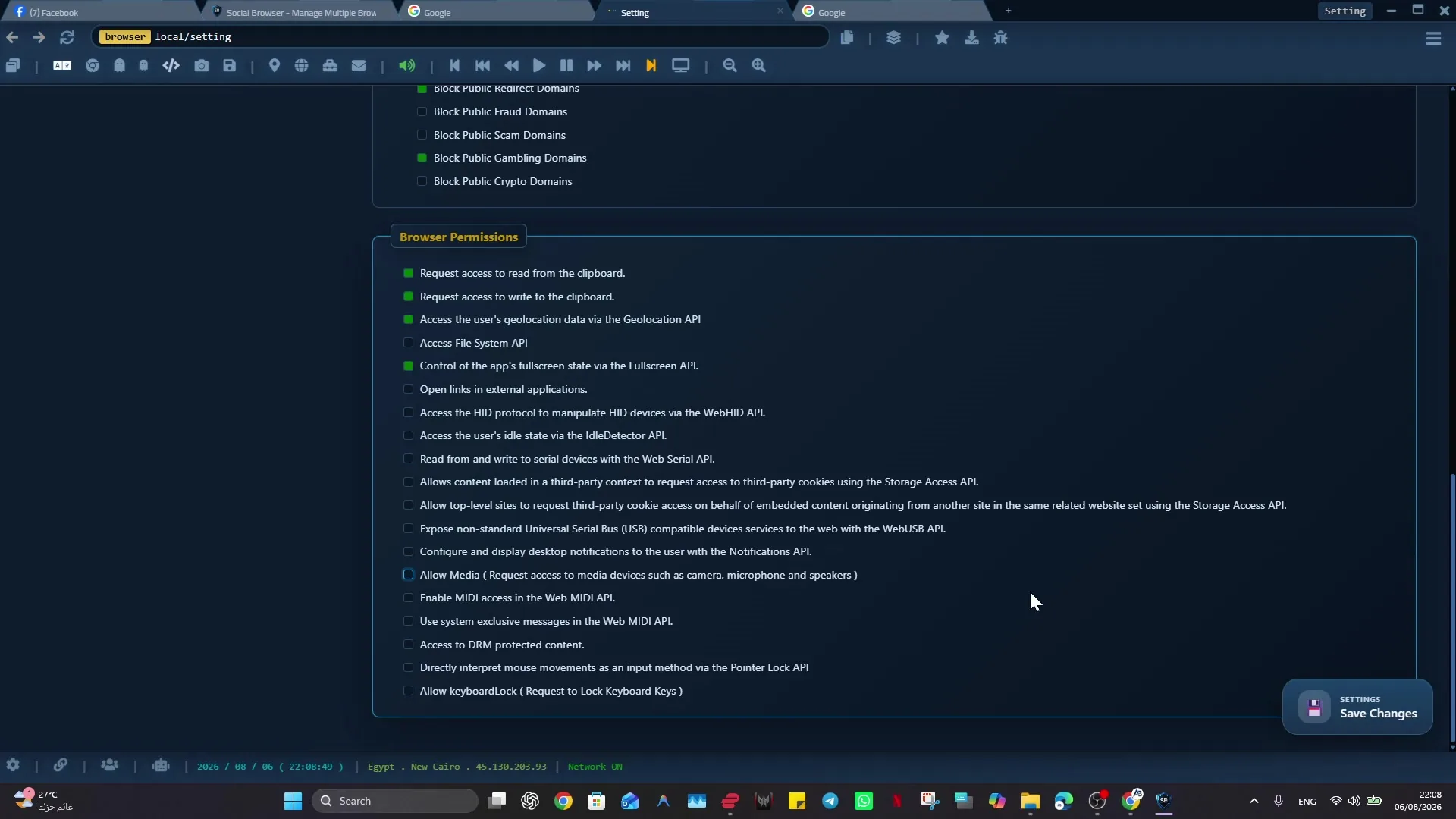
The goal is to make background privacy protection practical inside a controlled browser environment instead of leaving it scattered across tabs, extensions, external tools, or personal habits.
What Background Privacy Tools Does
- Keep the related workflow close to the profile or account that owns it.
- Reduce repeated setup work by making the browser remember the right local context.
- Use browser controls more intentionally instead of relying on crowded tabs or manual notes.
- Support professional teams that need clearer separation between clients, roles, campaigns, or tasks.
- Improve daily productivity while respecting platform rules, privacy requirements, and local laws.
How to Use Background Privacy Tools
- Create or choose the Social Browser profile that owns this work.
- Confirm the session, proxy, scripts, and privacy settings that belong to that profile.
- Enable Background Privacy Tools only where it has a clear operational purpose.
- Test the workflow with a small, low-risk task before using it in a busy daily routine.
- Review the profile regularly so inactive, outdated, or risky settings do not accumulate.
Background Privacy Tools In Practice
| Area | Without a multi-profile browser | With Social Browser |
|---|---|---|
| Context | Settings and state are spread across browser tabs. | The feature stays connected to a named profile or profile. |
| Safety | Users depend on memory and manual switching. | Profiles make account boundaries and local session state easier to see. |
| Team process | Handoffs happen through screenshots, messages, or repeated setup. | Teams can document the profile purpose and repeat the same local workflow. |
| Maintenance | Old extensions, settings, and habits can stay hidden. | Regular review keeps the feature useful and easier to audit. |
Important Notes and Limits
Background Privacy Tools should be used to make legitimate work easier to organize and repeat. It should not be used for spam, deception, platform abuse, privacy violations, or rule breaking. Good Social Browser workflows combine clear profile purpose, user judgment, and regular review.
Background Privacy Tools should be used only for legitimate, permitted work. Social Browser organizes browser Profiles and settings; it does not guarantee results from third-party websites or override their policies.
Practical Setup Check
Background Privacy Tools: Use the feature in one test Profile first, verify the expected result, and expand only after the workflow is stable and understood. Feature names and menu locations can change between releases. Test changes in the intended profile before relying on them in daily work.
Conclusion
Background Privacy Tools gives Social Browser users a more controlled way to handle background privacy protection inside real web workflows. For marketers, developers, affiliates, agencies, and operations teams, the value is not just the feature itself. The value is that the feature works inside a browser environment built around profiles, local data, session boundaries, and repeatable daily work.