
Social Browser Guide
How Social Browser Protects Your Browser Environment
How Social Browser protects browser work by separating profiles, sessions, scripts, and task context.
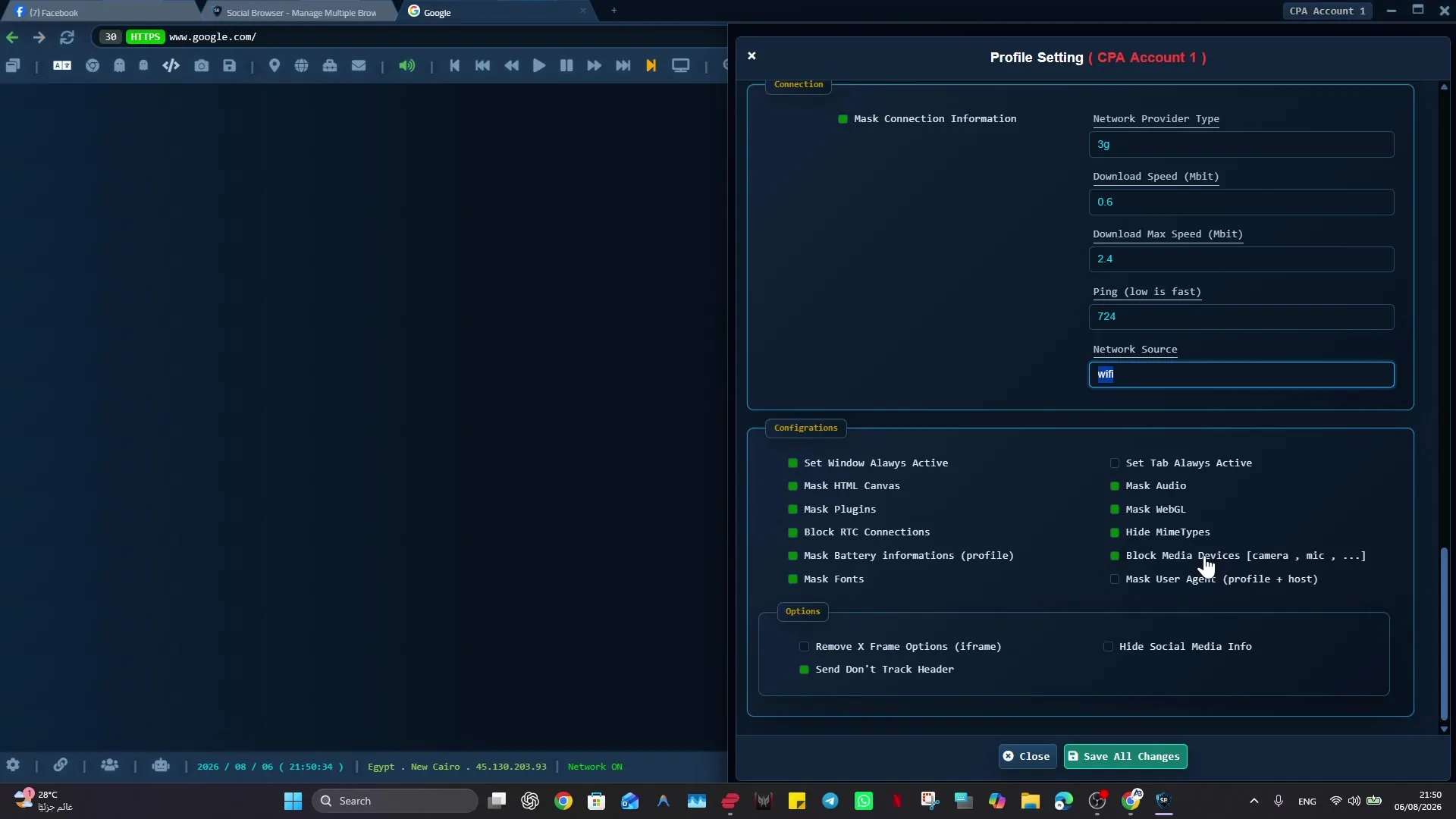
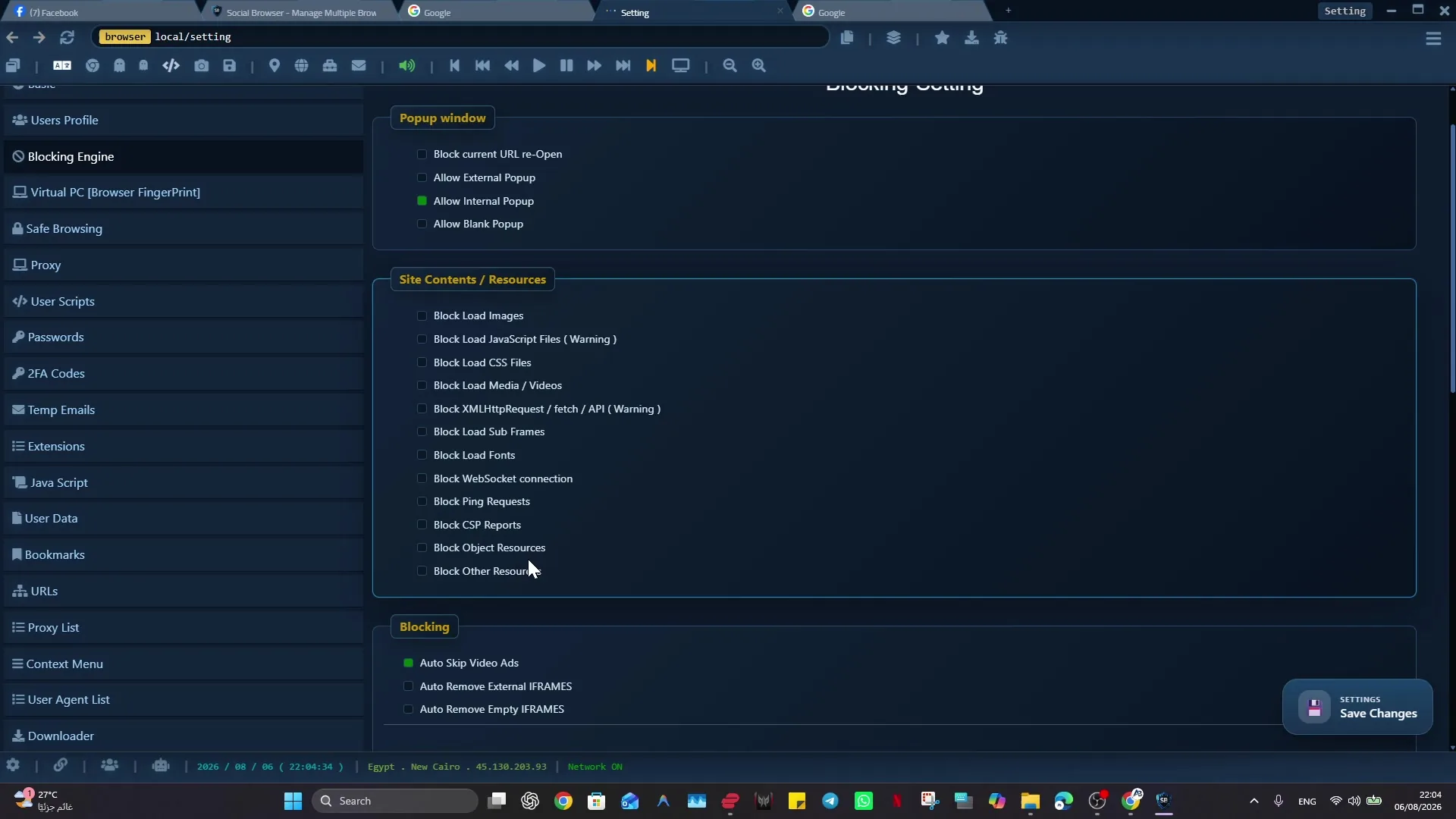
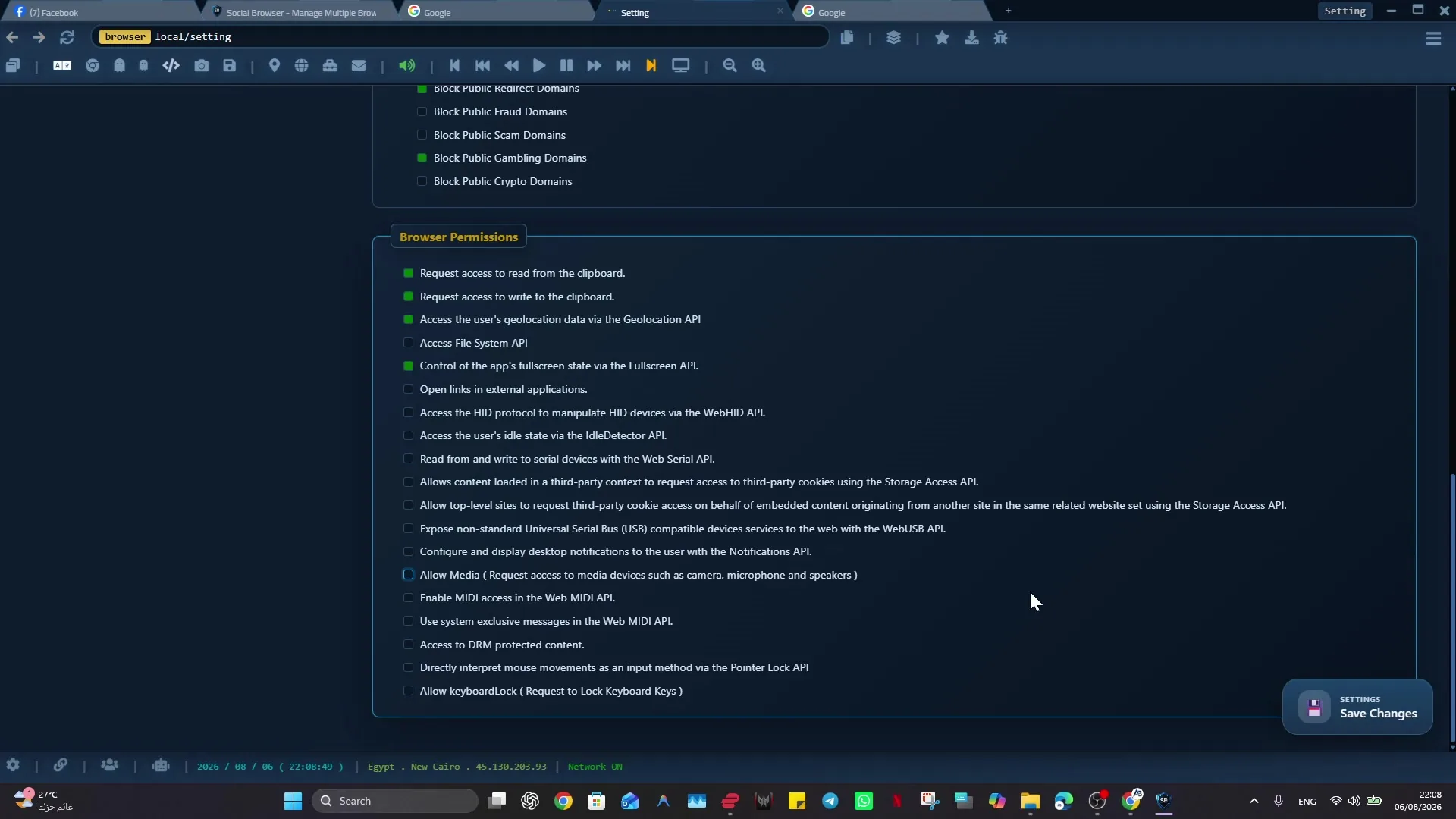
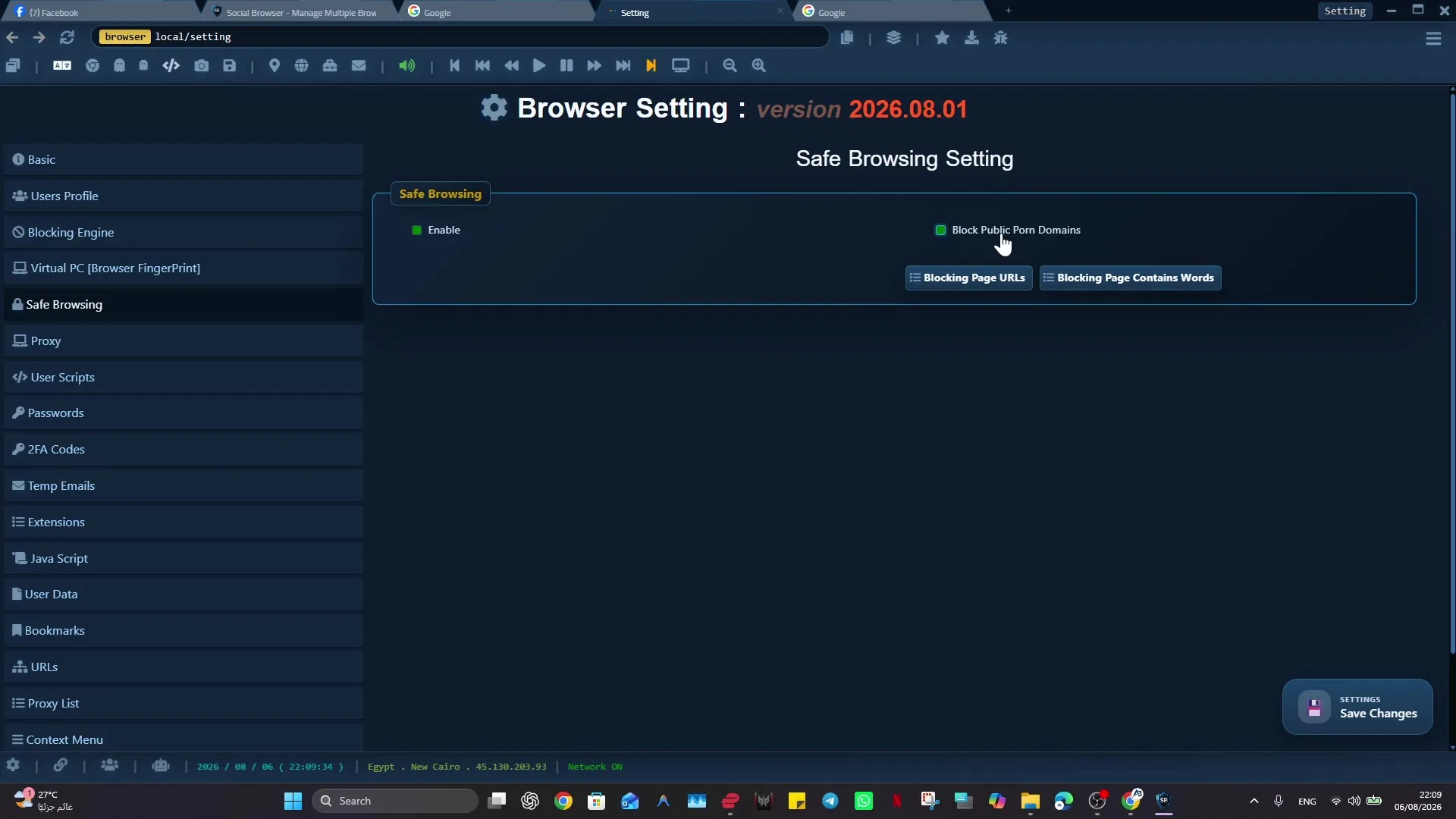
Protecting professional browser setups can become difficult when browser setups can become unsafe when sessions, scripts, extensions, and account contexts are mixed. Professional users, teams, agencies, developers, and marketers benefit from a browser that keeps account context, Profile purpose, and next action explicit.
A multi-profile browser gives this work a clear operating context. Social Browser connects Profiles, sessions, privacy controls, scripts, extensions, notes, and review in one place. For protecting professional browser setups, it protects work through structured profiles, reviewable customization, and clearer operational boundaries.
browser setup protection basics
- Use dedicated profiles for every important account, campaign, role, or task.
- Keep session state, notes, and ownership close to the profile that needs them.
- Use browser automation and customization only where they have a clear purpose.
- Review profiles regularly so inactive, risky, or outdated work does not accumulate.
- Respect platform policies, privacy requirements, and local laws while improving productivity.
Environment Protection Compared With Standard Browsing
| Area | Standard browser pattern | Social Browser pattern | Professional value |
|---|---|---|---|
| Profiles | Personal or informal | Purpose-built work units | Clearer ownership |
| Sessions | Often mixed across tasks | Separated by profile and workflow | Lower operational confusion |
| Automation | External or scattered | Connected to profile context | More reliable execution |
| Customization | Extension-first and personal | Workflow-first and reviewable | Safer browser behavior |
| Team process | Depends on memory and messages | Documented team procedures | Better collaboration |
Practical Next Step
Before expanding “How Social Browser Protects Your Browser Environment”, prove the smallest useful version: change one privacy or identity control at a time in a test Profile and verify website compatibility with the browser tools. Treat these settings as controls, not as an anonymity guarantee.
Important Limits and Safe Use
When applying “How Social Browser Protects Your Browser Environment”, keep this limit explicit: privacy and identity controls can change browser signals and compatibility, but they do not guarantee invisibility, perfect anonymity, or immunity from website review.
- Change one signal category at a time and test the result.
- Do not use privacy controls as a claim that platform rules no longer apply.
- Protect local Profile data and exported diagnostics as sensitive information.
Expand “How Social Browser Protects Your Browser Environment” only after the expected result is repeatable, documented, and appropriate for the service being used.
Conclusion
The useful final test for “How Social Browser Protects Your Browser Environment” is whether the chosen controls improve the intended workflow without creating false anonymity claims.