100 öffentliche kostenlose Proxys beim ersten StartSocial Browser importiert beim ersten Start einer neuen Installation automatisch bis zu 100 Proxys aus aktivierten öffentlichen Internetquellen.
Tausende weitere aus öffentlichen Proxy-Quellen abrufenDie Proxy List kann Tausende öffentliche Proxy-Einträge aus bearbeitbaren Internetquellen abrufen. Dein Tarif bestimmt, wie viele Proxys gleichzeitig gespeichert werden können.
01 · Dauerhafte Profile
Profilzustand getrennt und wiederverwendbar halten.
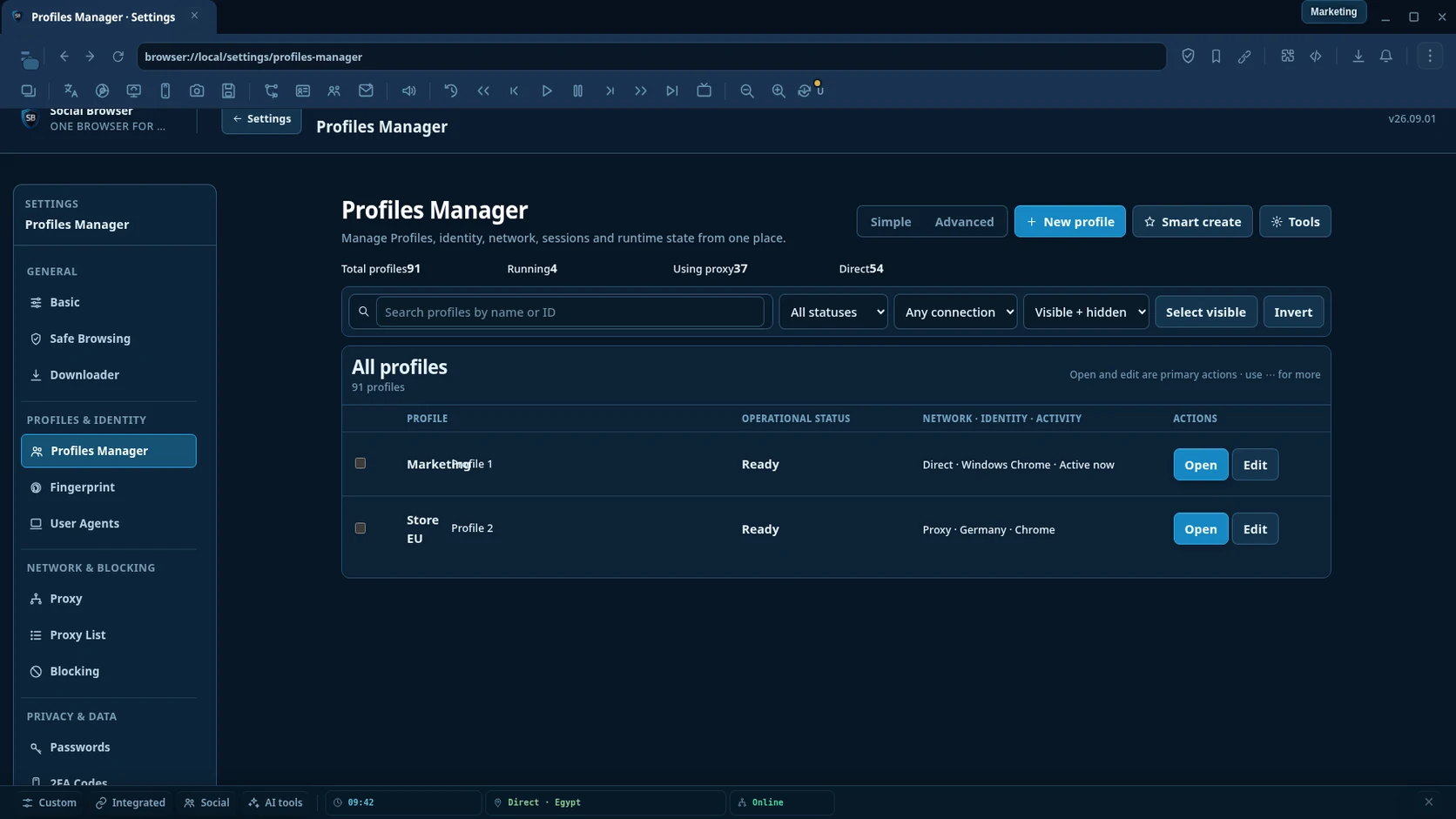
Jedes Browserprofil behält eigene Cookies, Speicher, Browserzustand, Einstellungen und eine optionale vom Nutzer bereitgestellte Proxy-Konfiguration.
ProfilisolierungGetrennte Cookies und lokaler Speicher.Bauen Sie mit KI ist optional: Bringen Sie Ihren eigenen KI-Anbieter mit, bewahren Sie verschlüsselte Anbieterschlüssel auf, überprüfen Sie den Entwurf und speichern Sie ihn erst, wenn er gültig ist.
Persistente SitzungenSpäter zum selben Profilzustand zurückkehren.Proxy pro ProfilKonfiguriere bei Bedarf deinen eigenen Proxy.ProfilverwaltungProfile finden, organisieren, bearbeiten und wechseln. 02 · Browserautomatisierung
Zuverlässige Automatisierung ohne Selektorwartung.
Erstellen Sie Workflow, wählen Sie Ziele visuell aus und lassen Sie Social Browser normale Seitenänderungen und fehlgeschlagene Ausführungen mit möglichst wenigen Schritten verarbeiten.
Siehe Zuverlässigkeit der Automatisierung- Element auswählenWählen Sie ein Live-Seitenziel aus, anstatt Selektoren manuell zu schreiben.
- Wiederherstellung des Login-ZielsOAuth und SSO können eine Registerkarte ersetzen; Eine eindeutige Ersetzung innerhalb desselben Profile erfolgt automatisch.
- Intelligentes WartenVerwenden Sie eine einfache Wartezeit, anstatt Lastzustände und Verzögerungen anzupassen. Klicks warten außerdem darauf, dass sich die Weiterleitungsketten stabilisieren, bevor der nächste Schritt beginnt.
- Zuverlässige DownloadsWarten Sie, bis die Datei fertig ist, und betrachten Sie einen abgeschlossenen Download als Erfolg.
- Zuverlässige UploadsWählen Sie einmal den Upload-Bereich aus; Versteckte Dateieingaben, Frames und Upload-Überprüfung werden automatisch verarbeitet.
- Sichere Popup-WiederherstellungWenn ein Klick eine neue Registerkarte oder ein neues Fenster öffnet, kann Social Browser dort nur fortfahren, wenn Workflow es tatsächlich benötigt.
- Erkennung von HängernLang laufende Schritte werden deutlich sichtbar, anstatt stillschweigend eingefroren zu wirken.
- Reactive FormularwiederherstellungWenn ein React- oder Vue-Rerender ein Feld während der Eingabe oder Füllung ersetzt, fügt Social Browser den beabsichtigten Wert automatisch erneut an und behält ihn bei.
- Moderne DropdownsDer gleiche Schritt „Auswählen“ funktioniert mit nativen Auswahlen und allgemeinen Kombinationsfeldern ARIA/React, ohne dass die Aktion als „Typ + Klick“ neu erstellt werden muss.
- Automatische ZielwiederherstellungWenn sich Ziele ändern, werden funktionierende Fallbacks gefördert; virtuelle Listen werden durchsucht, wenn das Ziel noch nicht gerendert wurde; neu geladene Iframes werden nur wiederhergestellt, wenn ein eindeutiger Frame das Ziel enthält; Teilweise abgedeckte Bedienelemente verwenden nach Möglichkeit einen sicheren, sichtbaren Klickpunkt.
- Wiederholen mit einem KlickWiederholen Sie fehlgeschlagene Arbeiten direkt von Failure Center aus.
- Erweiterte Tools bei BedarfAI Builder, MCP, Webhooks, Cron, HTTP und Datenaktionen bleiben verfügbar, ohne den grundlegenden Ablauf zu überladen.
03 · User Scripts & Erweiterungen
Websites und Browser-Workflows anpassen.
Nutze User Scripts und kompatible Browsererweiterungen, wenn der Workflow Anpassungen auf Seiten- oder Browserebene benötigt.
- User ScriptsSkripte auf passenden Seiten ausführen.
- GM-KompatibilitätGängige Userscript-Workflows, sofern unterstützt.
- ErweiterungenKompatible Chrome-ähnliche Erweiterungen verwenden.
- EntwicklertoolsWorkflows prüfen und debuggen.
04 · Datenschutz & Schutz
Unterstützte Identitätsmerkmale steuern und Schutzaktivität sehen.
Datenschutzkontrollen, Blockierung und lokale Profilspeicherung werden ohne pauschale Anti-Detect-Versprechen dokumentiert.
- IdentitätskontrollenUnterstützte vom Browser gemeldete Eigenschaften.
- Blocking EngineBlockierung von Werbung, Tracking und schädlichen Websites.
- Schutz-TelemetrieTatsächliche Aktivität blockierter Ressourcen anzeigen.
- Local-first-DatenProfildaten bleiben standardmäßig auf dem Gerät.
05 · Browser-Produktivität
Tägliche Browsertools nah am Profil halten.
Fast View, Proxy-Verwaltung, Downloads, Lesezeichen, Benachrichtigungen, Mediensteuerung und Entwicklertools unterstützen den täglichen Workflow.
- Fast ViewSchnellpanels auf oberster Ebene.
- Proxy-ManagerProxys importieren, testen, bearbeiten und organisieren.
- Downloads & LesezeichenZentrale Browserwerkzeuge.
- MediensteuerungHilfen für Audio-/Video-Workflows.
06 · Separate Social-Tools
Plattformspezifische Tools nur bei Bedarf hinzufügen.
Free- und VIP-Produktivitätstools für soziale Medien sind vom Browser-Abonnement getrennt, sodass Browserfunktionen und optionale Tools klar getrennt bleiben.
- FacebookWorkflows für Seiten, Gruppen, Veröffentlichung und Moderation.
- YouTubeWorkflows für Creator, Videos und Kommentare.
- TikTokWorkflows für Video, Live und Konten.
- Instagram & XProduktivitäts-Workflows für Veröffentlichung und Konten.