Profiles · 1:52
Create a New Profile and Find Existing Profiles
Create an isolated Profile and quickly find the account or browser environment you need.
New hands-on recording: create a Profile in version 2026.10.20
Recorded directly in Social Browser on an isolated test desktop. It shows opening Profiles Manager, entering a test name, and verifying the new Profile appears. No real user accounts or credentials were used.
This 27-second screen recording has no audio. English and Arabic captions are available in the player. MP4 ↧
The current official video may contain Arabic narration. This page provides the English guide and product context.
Watch on YouTube ↗Create a browser Profile: the verified 2026.10.20 workflow
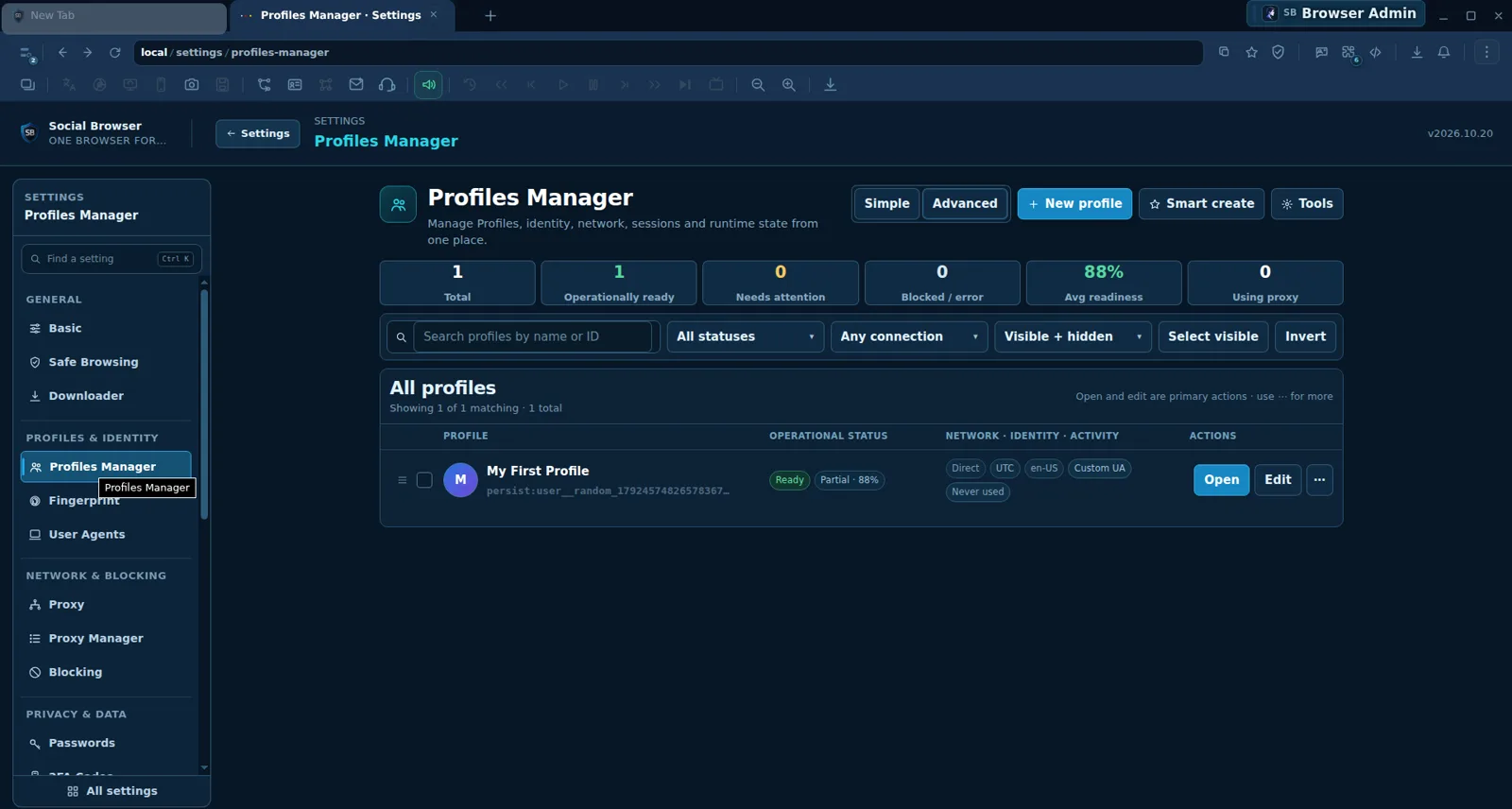
We opened the current Profiles Manager in Social Browser and created a genuine test Profile named Tutorial Demo Profile. It appeared alongside the existing Profile. These images are cropped, genuine screenshots of the running app, not mockups or illustrations.
Step 1: Find Profiles Manager
Open Settings, then select Profiles Manager under Profiles & Identity. The screen includes counts for the total Profiles, operational readiness, connection state, and a searchable table. This is where you can organize existing browser environments rather than mixing unrelated logins in one session.
Step 2: Name your new Profile
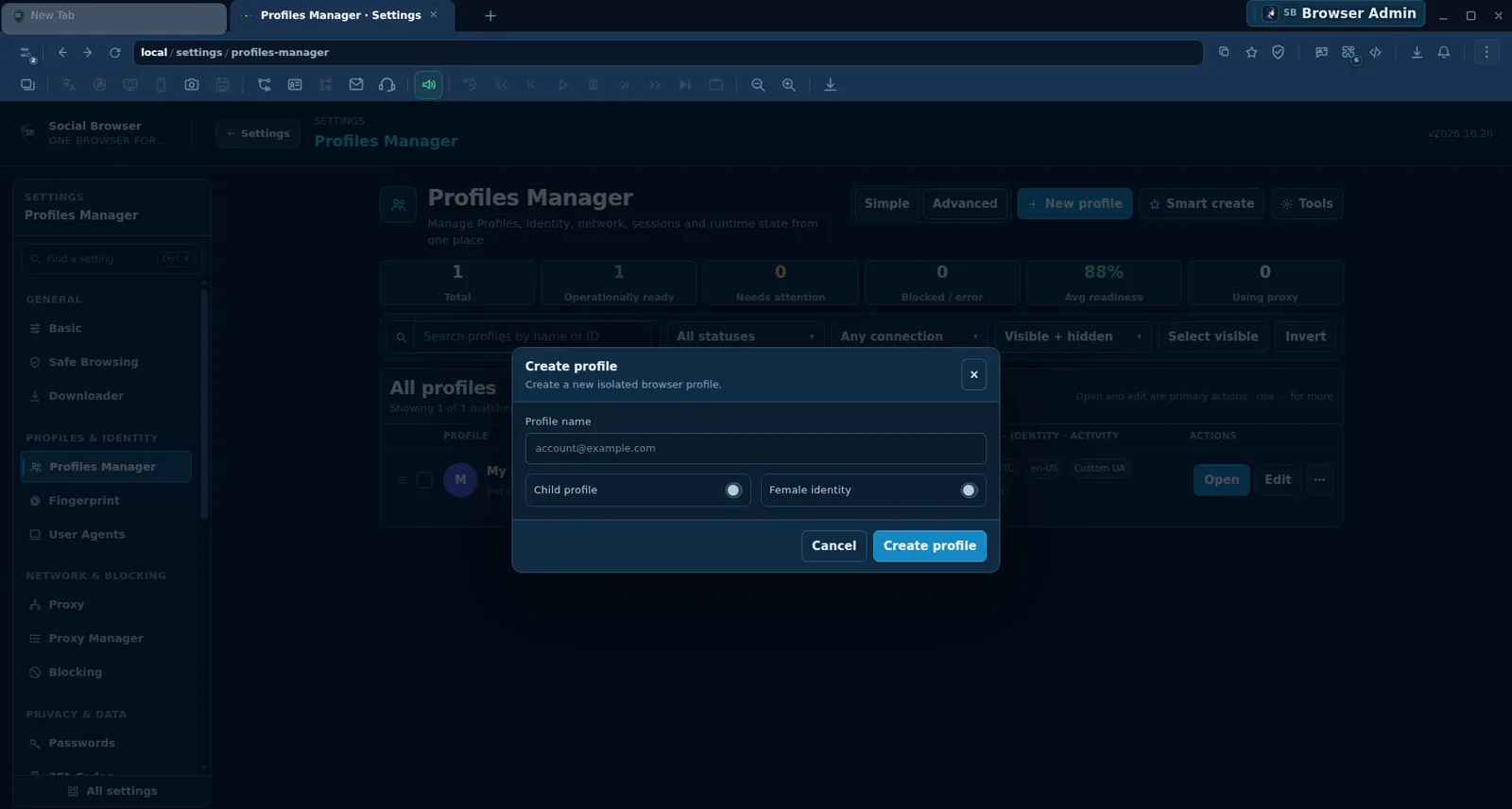
Click + New profile. In the Create profile dialog, enter a short, meaningful Profile name, for example Client A — Support. Do not put passwords or other secrets in the name. We used Tutorial Demo Profile. The dialog also offers optional Child profile and Female identity settings; you can leave these untouched for a straightforward first test.
Step 3: Confirm the Profile was saved
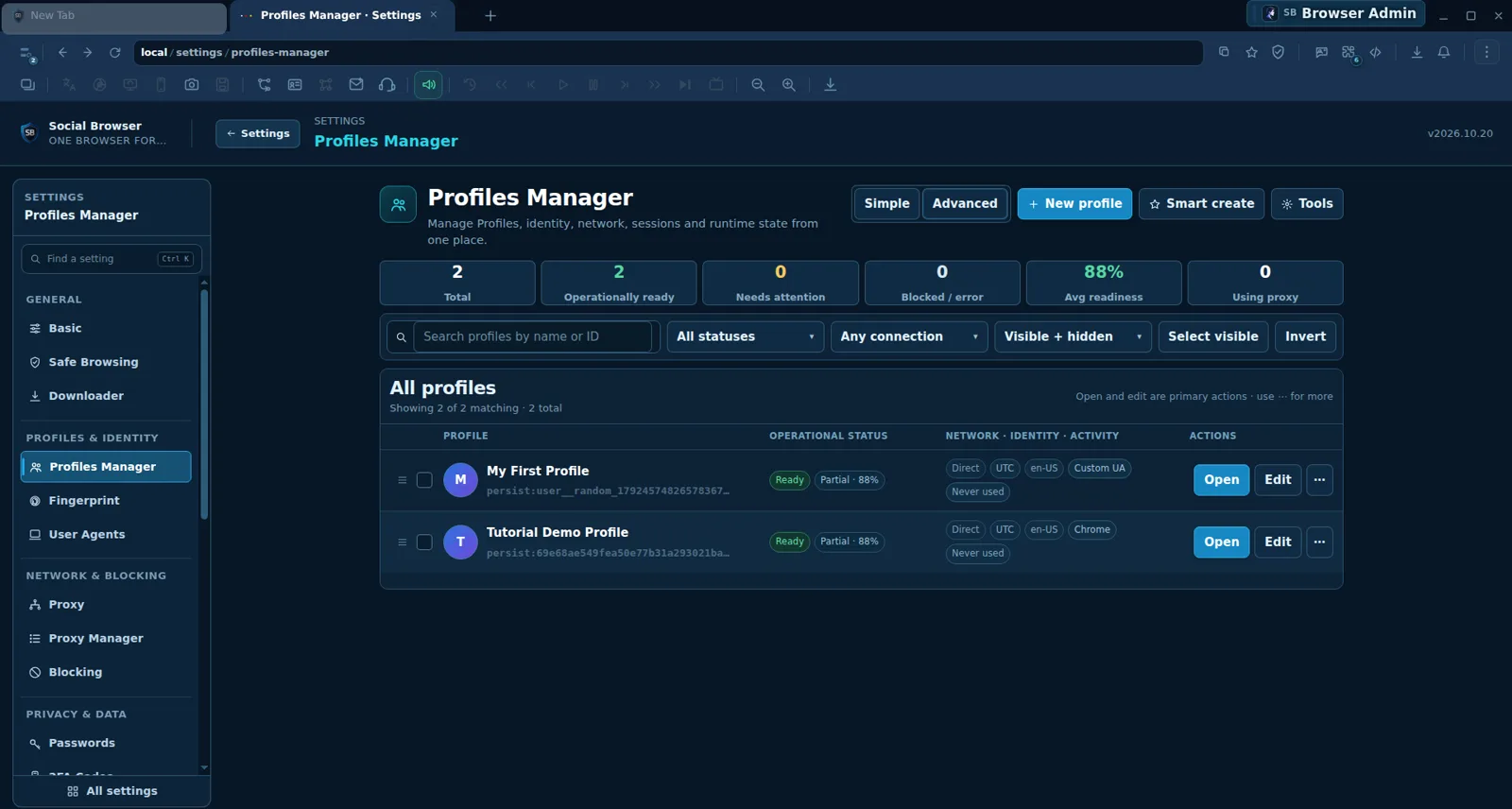
After selecting Create profile in our test, the dialog closed and the total visible Profiles increased from one to two. The new Tutorial Demo Profile row offered Open, Edit, and a menu for additional actions. A successful result in the list is better evidence than assuming a click always works. This test did not require any external proxy or live account.
Step 4: Find and manage existing Profiles
Use Search profiles by name or ID to find a saved Profile. Filters such as All statuses, Any connection, and Visible + hidden help narrow larger collections. Select Open to start using a Profile or Edit to inspect its configuration. Check what data a Profile contains before deleting it or changing any identity settings.
What the main actions do
| Control | Purpose | Recommended use |
|---|---|---|
| New profile | Starts a separate browser Profile | New client or project context |
| Open | Opens an existing Profile | Daily authorized work |
| Edit | Accesses Profile configuration | Review before making changes |
| Search / Filters | Narrows the visible Profile list | Larger collections |
Practical guidance
- Give each Profile a predictable name that reflects a legitimate business role.
- Session separation is useful, but it cannot guarantee a site will permit any particular account action.
- A proxy is optional and user supplied; Direct is a valid connection status.
- Verify the newly created row before repeating a failed-looking creation action.
- Never place cookies, passwords or session secrets in publicly shared screenshots or video recordings.
Frequently asked questions
Do I need a proxy to make a Profile? No. Our successful test Profile used a Direct connection.
Do I need to log into a real account? No. You can practice creating Profiles with safe test names and no account credentials.
What if the new Profile is missing? Clear the search box and filters, then inspect the result and any error messages before repeating the action.
Get started with the official download, then learn how to switch Profiles or review the multi-account feature.
What you will learn
Create an isolated Profile and quickly find the account or browser environment you need.
Practical steps
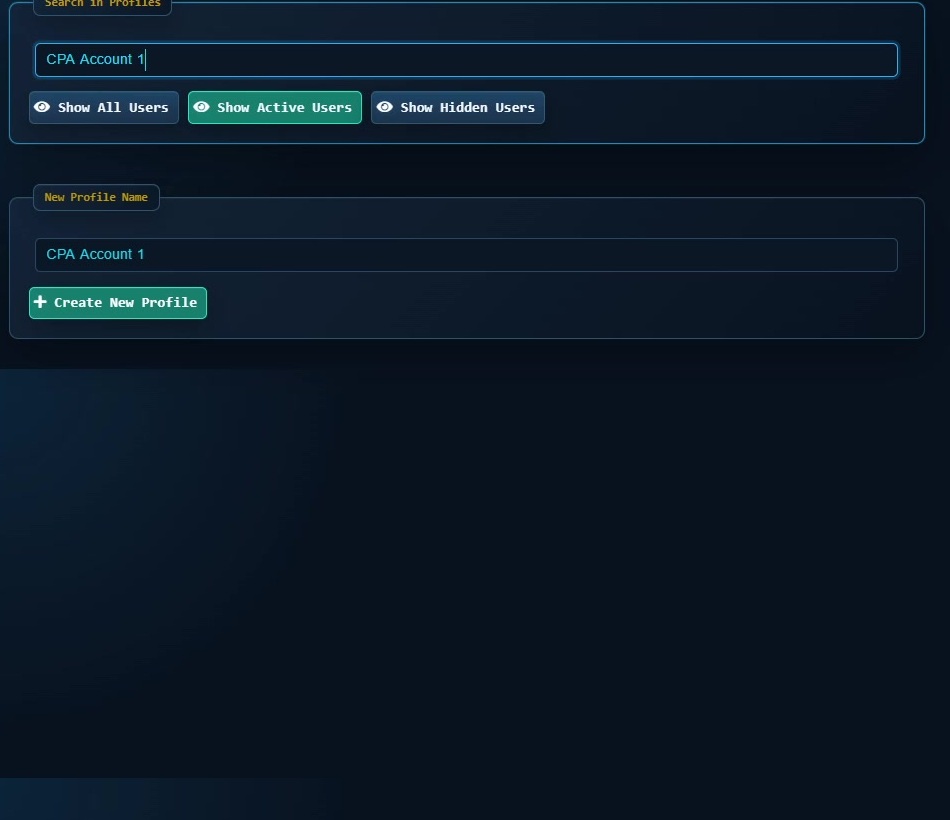
- Open the feature shown in the tutorial and confirm you are working in the intended Profile or browser context.
- Apply the setting only to the Profile or page where you need it, then save the change.
- Test the result on a limited scope before making it part of a repeated workflow.
When to use it
Use this when you want separate saved browser environments for different accounts or workflows.
Important notes
- Use accounts, proxies and session data only when you own them or are authorized to use them.
- Treat Cookies, Sessions, passwords and authentication data as sensitive information.