
Social Browser Guide
How Social Browser Supports User Scripts Like Tampermonkey
How Social Browser supports user-script workflows while keeping scripts connected to organized browser profiles.
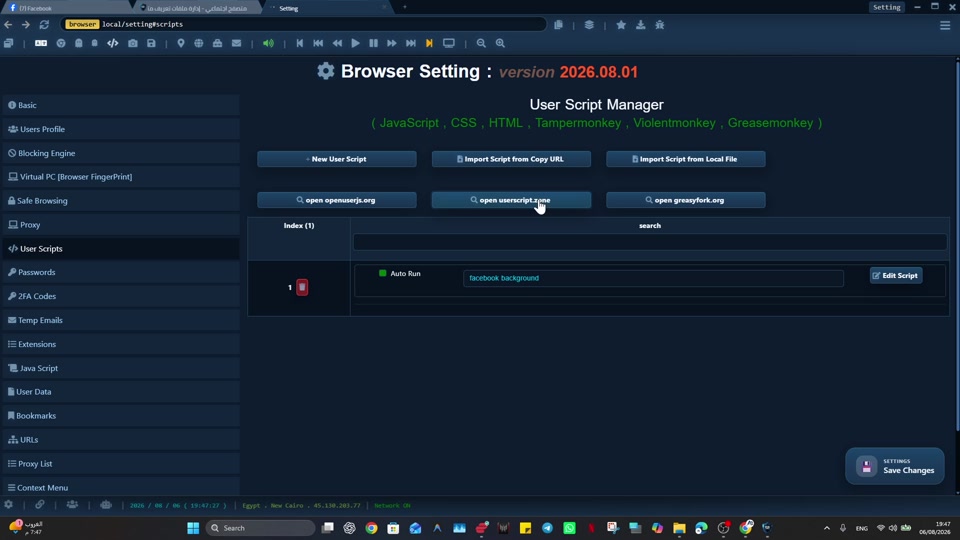
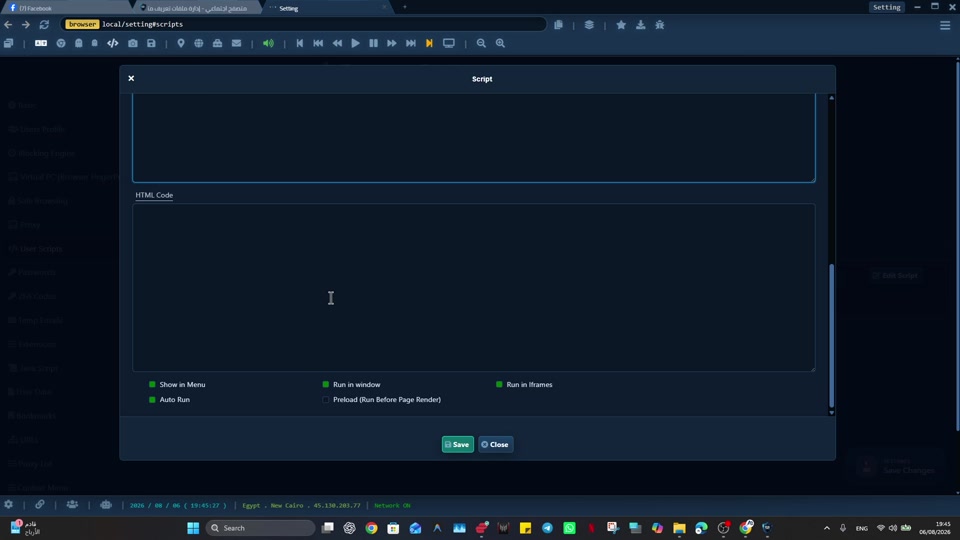
A reliable approach to user scripts similar to Tampermonkey inside controlled profiles starts with explicit browser context, especially when user scripts can become risky or confusing when they run without clear profile context or review. Developers, automation users, QA teams, and technical operators can then separate the work by Profile and review each workflow on its own terms.
Social Browser approaches this work as a persistent Profile workflow rather than a collection of temporary tabs. For user scripts similar to Tampermonkey inside controlled profiles, that matters because it gives user scripts a controlled profile where profile purpose, automation, and review stay connected.
Responsible user-script workflow
- Use dedicated profiles for every important account, campaign, role, or task.
- Keep session state, notes, and ownership close to the profile that needs them.
- Use browser automation and customization only where they have a clear purpose.
- Review profiles regularly so inactive, risky, or outdated work does not accumulate.
- Respect platform policies, privacy requirements, and local laws while improving productivity.
User Script Support Compared With Standard Browsing
| Area | Standard browser pattern | Social Browser pattern | Professional value |
|---|---|---|---|
| Profiles | Personal or informal | Purpose-built work units | Clearer ownership |
| Sessions | Often mixed across tasks | Separated by profile and workflow | Lower operational confusion |
| Automation | External or scattered | Connected to profile context | More reliable execution |
| Customization | Extension-first and personal | Workflow-first and reviewable | Safer browser behavior |
| Team process | Depends on memory and messages | Documented team procedures | Better collaboration |
Practical Next Step
Before expanding “How Social Browser Supports User Scripts Like Tampermonkey”, prove the smallest useful version: test one extension or User Script in a non-critical Profile. Review its source, permissions, and page scope, then confirm normal browsing before using it across more Profiles.
Important Limits and Safe Use
When applying “How Social Browser Supports User Scripts Like Tampermonkey”, keep this limit explicit: extensions and User Scripts can execute code inside browser contexts, so source trust and scope matter as much as convenience.
- Install code only from sources you trust and review.
- Use the smallest page scope and permissions that fit the task.
- Test updates in a non-critical Profile before wider rollout.
Expand “How Social Browser Supports User Scripts Like Tampermonkey” only after the expected result is repeatable, documented, and appropriate for the service being used.
Conclusion
The useful final test for “How Social Browser Supports User Scripts Like Tampermonkey” is whether the customization behaves predictably within the intended Profile and scope.