
Practical Guide · Chrome Profiles
Chrome Profiles vs Separate Browser Workspaces for Client Work
Compare native Chrome profiles and managed browser workspaces for account isolation, team organization, automation and maintenance.
Published October 11, 2026 · Social Browser Editorial Team
Why this matters
Chrome profiles can be a practical solution for using a work email and a personal email side by side. They are less obviously sufficient when a contractor handles twenty customer contexts, each with different proxy settings, reporting duties and automation needs. Rather than dismissing native profiles, compare what they already do well with what a dedicated workspace browser adds—and with the extra complexity that tool may introduce.
Recognize what native profiles already solve
Separate Chrome profiles can maintain their own cookies, extensions, bookmarks and some preferences. For a freelancer with two clients, that may meet the entire requirement. Browser Profiles are not the same as accounts on each website; each client still needs authorized logins and correct service roles. Avoid adding specialist software solely because a comparison chart uses the term multi-account.
Look for operational gaps as the workload grows
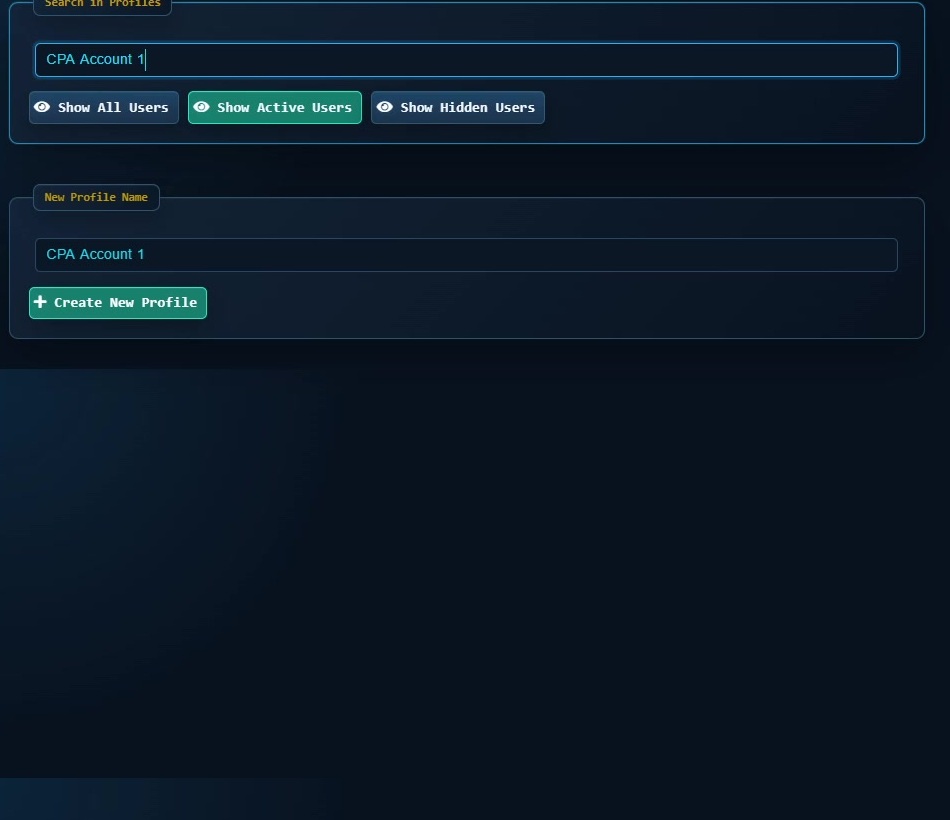
With dozens of identities, profile names, owners, project grouping and repeatable configuration matter. A specialist workspace may offer easier search, tagging, per-Profile network settings or automation connected to the correct account context. Social Browser focuses on this managed Profile model. But extra controls also require governance and staff training. Decide whether they reduce mistakes in your actual environment before making them mandatory.
Compare lifecycle and security, not just convenience
Ask how a Profile is created, backed up, archived and retired. Verify which data can be exported or copied and whether that is allowed under client contracts. Check user-data directory permissions, credential management, browser update policy and compatibility with extensions. A tool with more features can create a larger administrative burden unless responsibilities are documented. Neither approach removes the need for least-privilege accounts and MFA.
Run an A/B test using a real workflow
Ask two operators to complete the same safe task using native profiles and a dedicated browser workspace. Measure time to locate the correct client, recover from an expired session, prepare a report and perform an authorized handoff. Track accidental context switches and whether a reviewer can reproduce the process. Treat the results as specific to your team, not as a universal winner.
Implementation checklist
- Confirm native browser Profiles meet minimum isolation needs.
- List workflow gaps that cost real time or create mistakes.
- Test a named Social Browser Profile for one authorized client.
- Compare backup, updates and role ownership.
- Expand only when the new workflow demonstrates value.
Example: putting the guidance into practice
A two-person marketing studio uses native Chrome profiles successfully. Six months later it manages thirty brand accounts and needs coordinated scripts and groups. It pilots Social Browser on four clients and evaluates whether tagging and workflow association simplify actual work, not just the number of open tabs.
Frequently asked questions
Is a desktop workspace inherently more secure than Chrome profiles?
No. The security outcome depends on configuration, update practices, account permissions and specific product behavior.
Can Chrome and Social Browser coexist?
Yes, but avoid moving sensitive session data casually between profiles or treating one browser's storage as portable to another.
Important boundaries
The guidance above assumes authorized accounts and compliance with each service’s terms. Separate Profiles and automation can improve organization; they do not grant access rights, remove authentication requirements, guarantee anonymity, or eliminate security risk. Validate the workflow with a real reviewer before using it on sensitive production data.
Next step with Social Browser
Choose one small, permitted workflow, verify its starting account and define evidence of success before scaling. Social Browser can keep the relevant browser context organized while your team controls permissions, review and final decisions.
Explore the relevant Social Browser capability · Download for Windows · Download for Linux
Official documentation and further reading
Use these primary references to verify the relevant platform capabilities and permissions. Vendor documentation can change; confirm the current terms and product version before acting.